
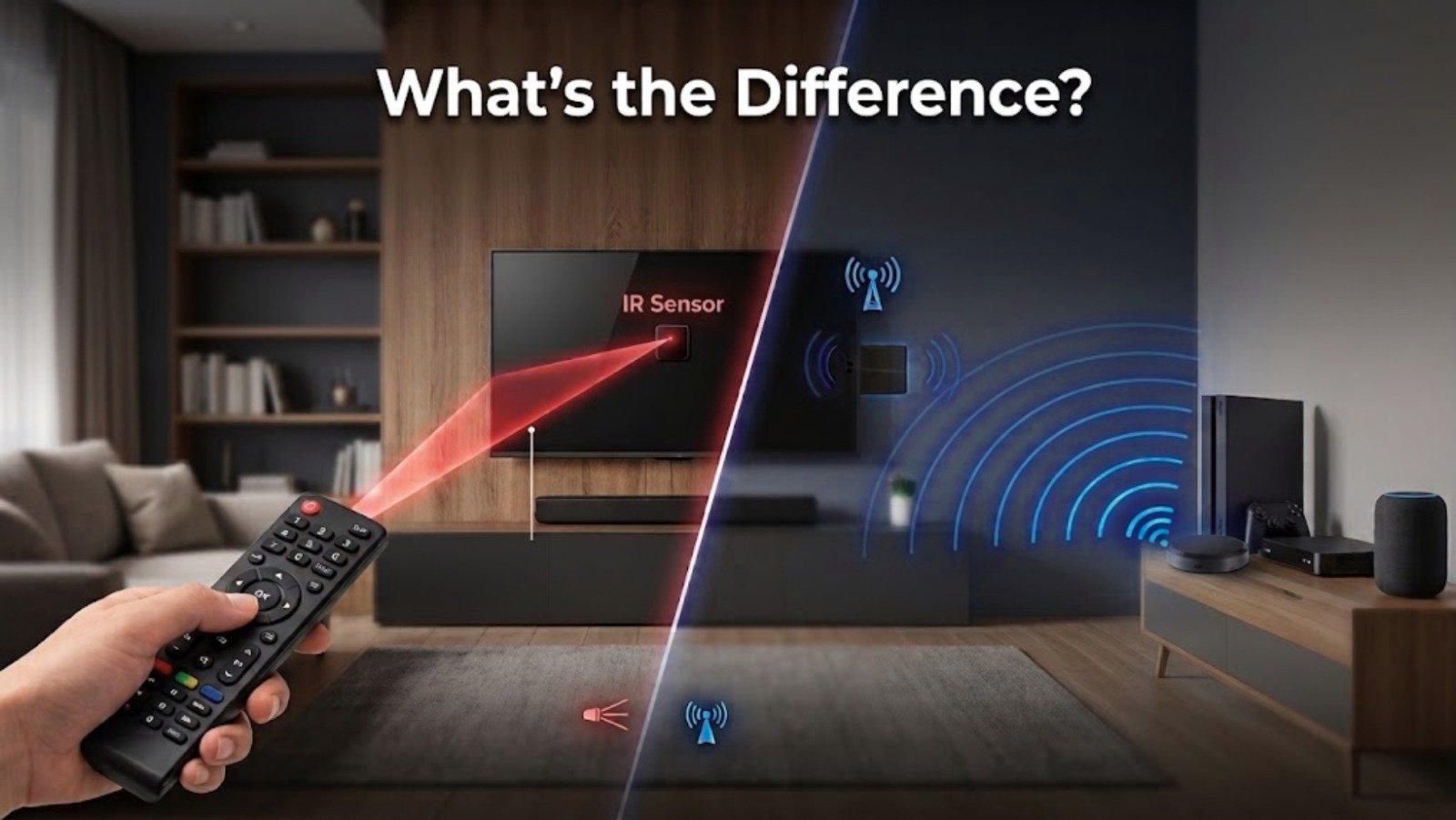
If you’ve started looking into home automation in Pakistan, you’ve probably run into these two terms more than once — IR and RF. Every AC, TV, ceiling fan, and automated gate in your house is quietly using one or the other, and understanding the difference actually matters once you start trying to control all of them from a single smart hub.
This IR vs RF Remote isn’t just technical trivia. Which technology your appliances use determines whether a universal remote setup will work the way you expect — and why some devices respond instantly from across the house while others only work if you’re pointing directly at them.
The Basics: What IR and RF Actually Are
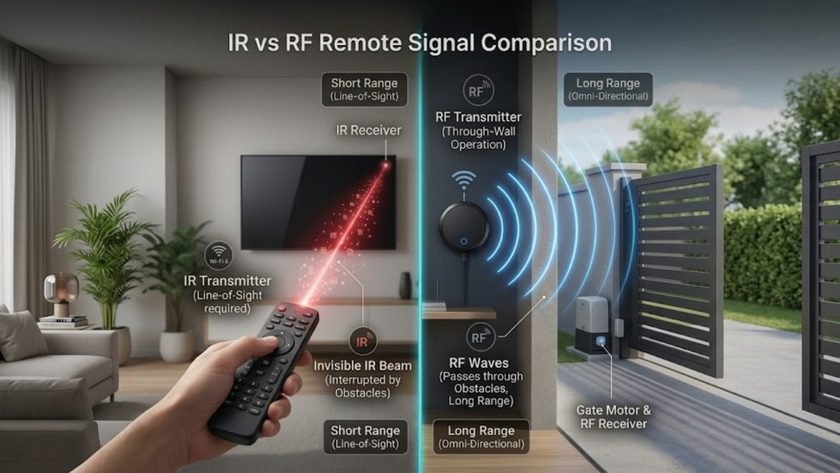
Infrared (IR) uses light waves just beyond what the human eye can see. Press a button on a standard TV or AC remote, and a small diode flashes invisible light pulses toward a receiver on the appliance.
Radio Frequency (RF) uses electromagnetic radio waves instead of light — commonly in the 433MHz or 315MHz range for home devices. It doesn’t rely on a visual path at all; it broadcasts across a frequency band the way a car key fob or a garage door opener does.
Both get the job done wirelessly, but where and how well they work differs a lot.
Where They Actually Differ
Line of Sight
IR needs a clear, direct path. A pillow, a coffee table, or a half-open cabinet door between the remote and the device is enough to break the signal. RF doesn’t have this limitation — it passes through walls, glass, closed cabinets, and furniture without any issue, which is why it can control something in another room entirely.
Range
IR is generally limited to the same room — typically up to 5 to 10 meters depending on the emitter’s strength. RF covers much more ground, often 20 to 30 meters or more, which makes it the better fit for larger living rooms, multi-story layouts, or whole-house automation.
Interference
IR can be thrown off by strong sunlight or other bright infrared sources like halogen lamps, but it rarely runs into cross-room signal congestion. RF can pick up interference from other devices broadcasting on nearby frequencies — Wi-Fi routers, baby monitors, garage openers — though most modern smart devices handle this well through channel hopping and signal encoding.
How Both Fit Into a Modern Smart Home
In the old setup, every appliance came with its own dedicated remote. A WiFi IR + RF Universal Remote bridges all of that into one cloud-connected hub, controlled through an app like Tuya Smart.
Where IR Still Dominates
Most common household electronics in Pakistan run on IR — split ACs from Dawlance, Haier, Gree, and Kenwood, LED TVs from Samsung, TCL, and Sony, and most soundbars. A hub with a built-in IR blaster learns these signals and effectively becomes your physical remote, letting you turn on the AC from the office before you’re even home.
Where RF Takes Over
Plenty of essential home elements run on RF instead, including motorized curtains and blinds, automated sliding gates and garage doors, certain ceiling fan regulators and wireless switches, and wireless panic buttons or rolling shutters. A hub that handles both protocols means nothing in the house gets left out of the automation setup.
IR vs RF at a Glance
| Feature | Infrared (IR) | Radio Frequency (RF) |
|---|---|---|
| Medium | Invisible light waves | Radio electromagnetic waves |
| Line of Sight | Required | Not required — works through walls |
| Typical Range | Up to 10 meters, same room | 20+ meters, cross-room |
| Common Uses | TVs, ACs, set-top boxes, media players | Gates, curtains, garage doors, RF fans |
| Smart Integration | IR blaster hubs | RF-compatible multi-mode gateways |
| Power Use | Very low | Slightly higher, due to continuous signal broadcast |
What This Looks Like Day to Day
Scenario A — The Living Room AC (IR)
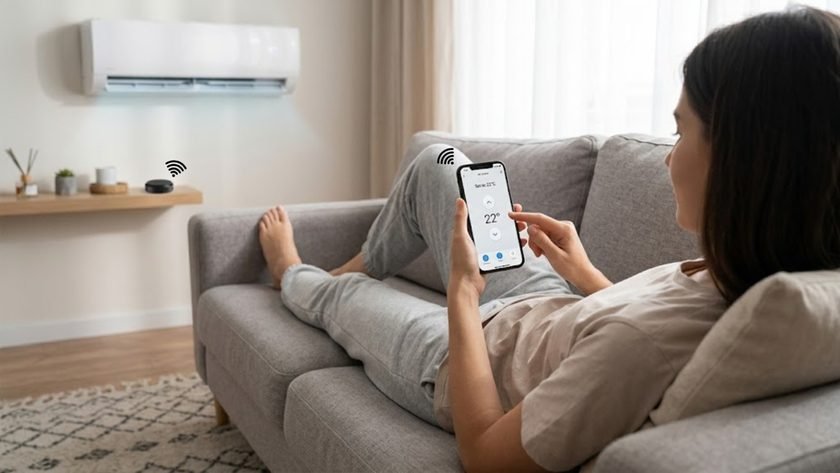
A humid Lahore afternoon, and your inverter AC runs on an IR remote. Without any automation, you’re hunting for the plastic remote in the sofa cushions and pointing it directly at the unit. With a smart IR hub sitting on a shelf, the same command goes out instantly — tap your phone, or just say, “Alexa, turn the lounge AC to 24°C,” and the hub replicates the exact signal your original remote would have sent.
Scenario B — The Front Gate or Bedroom Curtains (RF)
Your boundary gate or heavy automated curtains run on a motor using RF, typically around 433MHz. IR would fail here outright — the motor casing blocks light, or it’s mounted outdoors in direct sunlight. RF succeeds because the signal passes straight through concrete and metal enclosures, letting you open the gate or close the curtains from anywhere with a connection.
So Which One Do You Actually Need?
The good news — you don’t have to pick. Most modern hubs support both IR and RF in a single unit, which future-proofs the whole setup regardless of what you add later.
A quick way to decide what matters for your home:
- Mostly standard electronics (TV, AC, soundbar)? An IR blaster covers the bulk of it.
- Automated gates, rolling shutters, or RF switches? Make sure whatever hub you buy explicitly supports RF, not just IR.
- Both? Go with a combo hub from the start rather than buying two separate devices.
For a deeper look at exactly how this plays out day to day — pre-cooling rooms, movie night scenes, voice control — our guide on controlling your TV, AC, and fans with one smart remote covers the practical side in more detail. If you’re also automating curtains or gates, eGalaxy’s Zigbee Smart Devices and Home Automation collections cover the RF side of the ecosystem too.