
By eGalaxy.pk | Tech & Photography Gadgets Pakistan
You’ve set up your shoot. Clean background, decent light, your best product centered in the frame. You hit record, slowly rotate the item with your hand, and what you get back is — shaky, uneven, and your fingers are in half the frames.
Then come the DMs.
“Bhai peechay se kaisa dikhta hai?” “Can you send a real video?” “Aur angles dikhao please.”
And you realize that no matter how good the product is, if the video doesn’t look professional, buyers don’t trust it. In Pakistan’s COD-heavy e-commerce market — where customers have been burned too many times by “expectation vs. reality” deliveries — visual trust is everything.
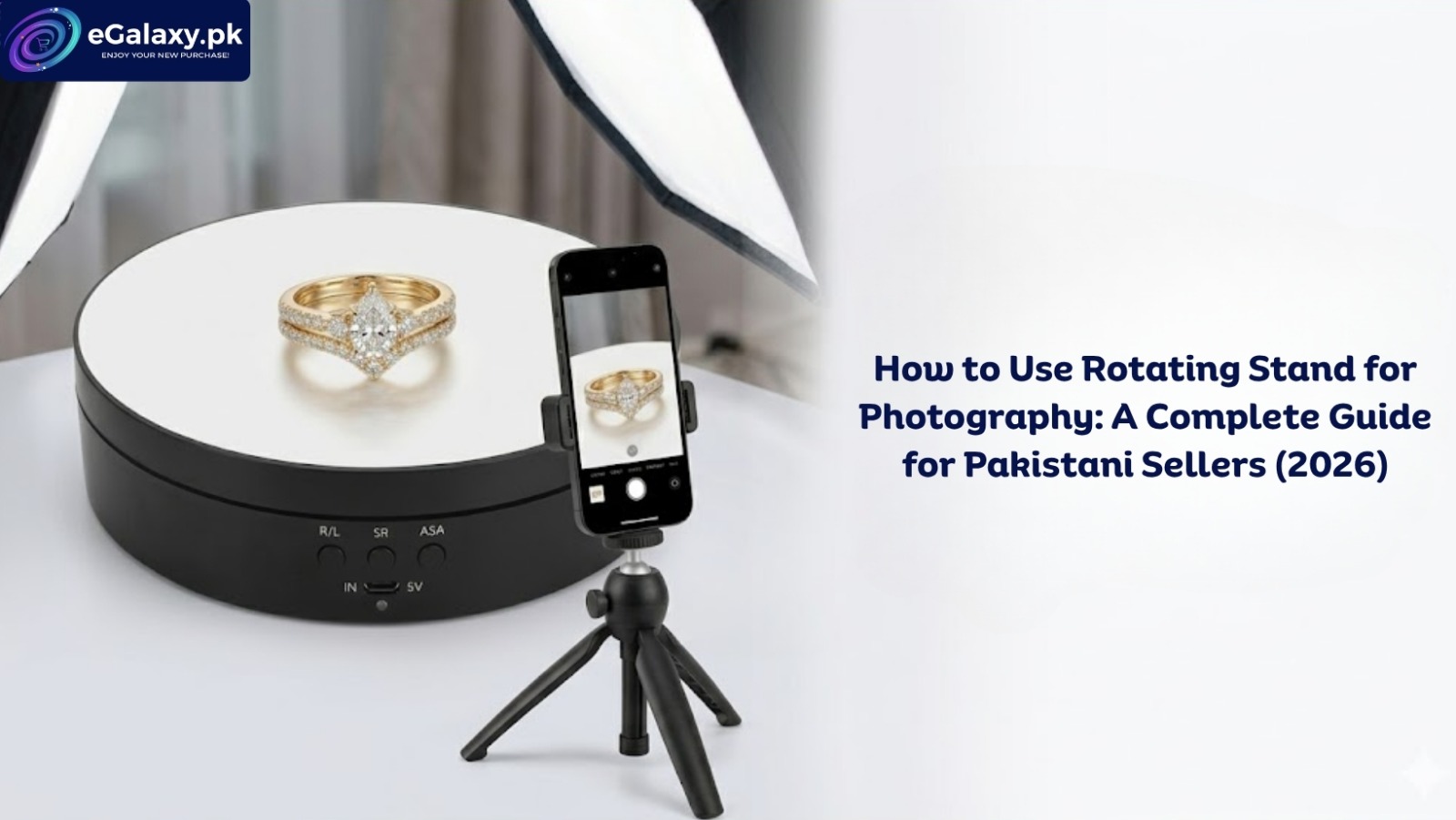
How to Use Rotating Stands for Photography solves this in the most direct way possible. You place the product on the motorized platform, press start, and record from a fixed tripod while the product spins smoothly through a full 360 degrees. No shaking. No hand in the shot. No uneven pauses. Just clean, consistent, professional footage that answers every buyer question before they have to ask.
This guide walks through the exact process — from background choice to camera settings to niche-specific tips — so you can start shooting studio-quality product videos from your home today.
If you want to know about this product
Why 360° Product Videos Are Now Essential for Pakistani E-Commerce
Before getting into the how-to, it’s worth understanding why this matters so much in the Pakistani market specifically — because the reasons are different here than in international guides written for US or European sellers.
Cash on delivery drives skepticism. Because most Pakistani buyers pay on delivery rather than upfront, they have high anxiety about receiving something different from what was shown. A 360-degree video that shows the product from every angle — front, back, sides, texture, stitching, edges — eliminates this anxiety before the sale. There’s nothing hidden. The product speaks for itself.
Social media reach drives discovery. According to TikTok for Business, video content with high watch time gets pushed to broader audiences automatically. A product rotating smoothly under good lighting is more visually compelling than a static image — people pause, watch through, and engage. That engagement tells the algorithm to push the video further.
Daraz and Instagram reward visual quality. Daraz Seller Center consistently shows that listings with video content outperform static image listings in click-through rate. Instagram’s algorithm similarly favors Reels that maintain viewer attention. A smooth, professional 360° video does both.
You don’t need a studio. This is the most important point for Pakistani sellers in Sialkot, Karachi, Lahore, and Faisalabad. With a rotating stand, a lightbox, and a tripod, you have everything you need to shoot professional content from a corner of your home — permanently. No studio booking, no travel, no per-session cost.
What You Need Before You Start
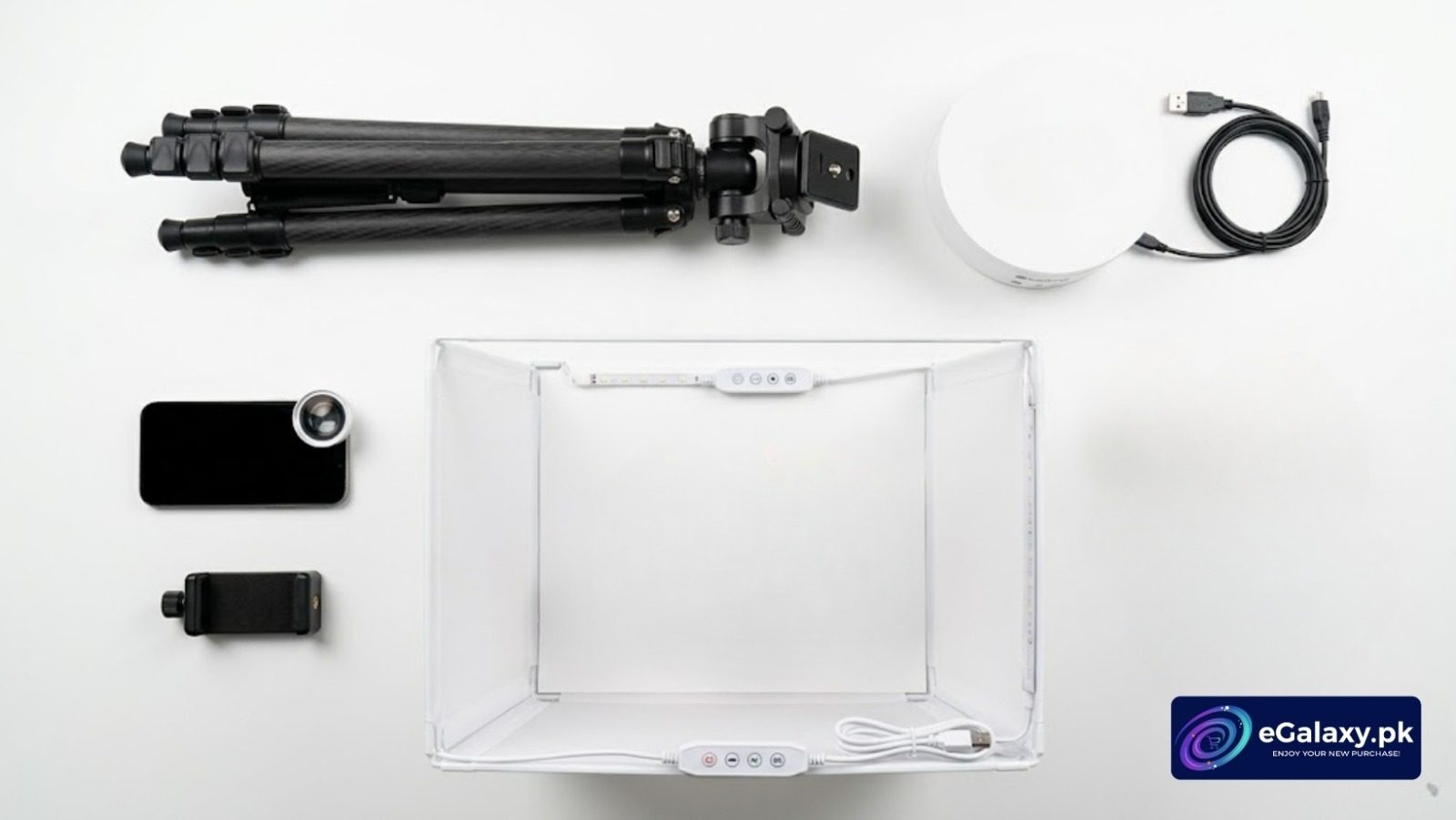
A complete rotating stand photography setup requires four components — all available at eGalaxy:
1. The rotating stand itself:
- Electric Rotating Display Stand – 360° with Remote Control — adjustable angles, remote speed control, Type-C power, quiet motor. Best for medium to large products and professional setups.
- USB Rotating Display Stand – 3 Speed Options — compact, silent, USB-powered, three speed settings. Best for jewelry, cosmetics, and small accessories.
2. A Tripod Stand — holds your phone or camera completely still at the correct height. This is non-negotiable. Any movement from the camera while the product rotates breaks the clean effect entirely.
3. A Mini Photo Studio Box — for small to medium products, a lightbox provides instant, fully diffused lighting with a clean white background. It eliminates shadows and colour casts automatically.
4. Your smartphone — a modern Pakistani phone (iPhone or mid-to-high range Android) in 4K mode produces genuinely professional results. You do not need a DSLR to get started.
For more camera and shooting accessories: Camera Accessories and Photo Studio Accessories.
Step-by-Step: How to Use a Rotating Stand for Photography
Follow these steps in order and your first shoot will look significantly more professional than anything you’ve produced before.
Step 1: Choose and Set Up Your Background
The background determines whether a viewer focuses on your product or gets distracted. Keep it simple.
White — industry standard for marketplace listings (Daraz, Facebook Marketplace, Instagram shopping). Makes products pop and looks clean in thumbnails.
Matte black — ideal for electronics, watches, perfumes, and anything with a premium or luxury feel. Creates a dramatic, high-end look.
Pastel or textured — works well for lifestyle-oriented Instagram Reels where aesthetics matter more than clinical accuracy.
Use a seamless sweep — a curved sheet of paper or PVC that flows from behind the stand down to the surface beneath it, with no visible horizon line. This removes the “corner” that makes products look placed rather than presented. Place your rotating stand on top of the sweep.
Step 2: Centre the Product Precisely
This step is where most beginners make an expensive mistake — and it’s the easiest mistake to avoid.
If your product is even a few millimetres off-centre on the rotating disc, it will drift visibly from side to side as it spins rather than rotating cleanly on its own axis. On camera, this looks unprofessional regardless of everything else you do correctly.
Pro technique: Turn on the rotating stand while it’s empty. Watch the disc from your camera’s perspective. Use a tiny piece of painter’s tape or a pencil dot to mark the exact visual centre of the disc. Always place the midpoint of your product directly on that mark.
For products with irregular shapes — a handbag with an off-centre handle, an asymmetric shoe — find the product’s visual centre of gravity rather than its geometric centre, and align that to the disc centre.
Step 3: Set Up Your Lighting
Lighting is the single factor that separates professional-looking product videos from amateur ones, and it has nothing to do with expensive equipment.
The rule: diffuse everything. Harsh, direct light creates rotating shadows that change as the product turns — an ugly, distracting effect that undermines the entire purpose of a smooth 360° rotation.
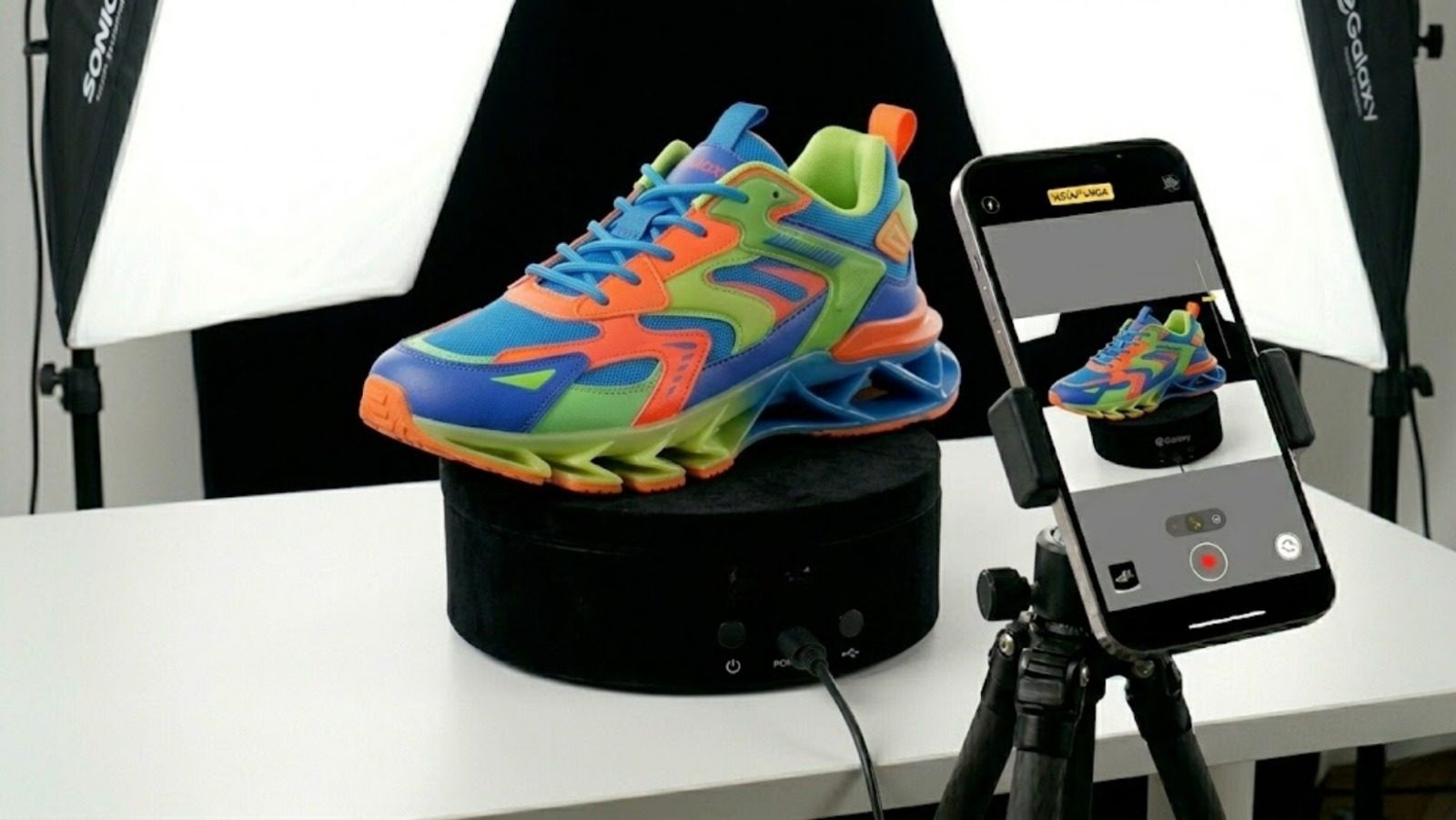
For small products: Place the turntable inside a Mini Photo Studio Box. The lightbox’s white interior panels diffuse the built-in lights automatically, eliminating shadows from every direction simultaneously. This is the fastest way to get professional lighting results.
For larger products: Position two light sources at 45-degree angles to the left and right of the turntable, slightly above product height. If using bare LED panels or ring lights, diffuse them by hanging white tissue paper, diffusion paper, or a thin white bedsheet in front of each light. The goal is soft, even illumination from both sides with no strong shadows.
Avoid: yellow ceiling lights (they cast an orange tint), direct sunlight (harsh and changes as clouds move), and single-source lighting (creates one bright side and one dark side that alternates as the product spins).
According to Digital Photography School, diffused two-point lighting is the standard approach for product photography at any budget level — and it applies equally to rotating video content.
Step 4: Set Up Your Camera Correctly
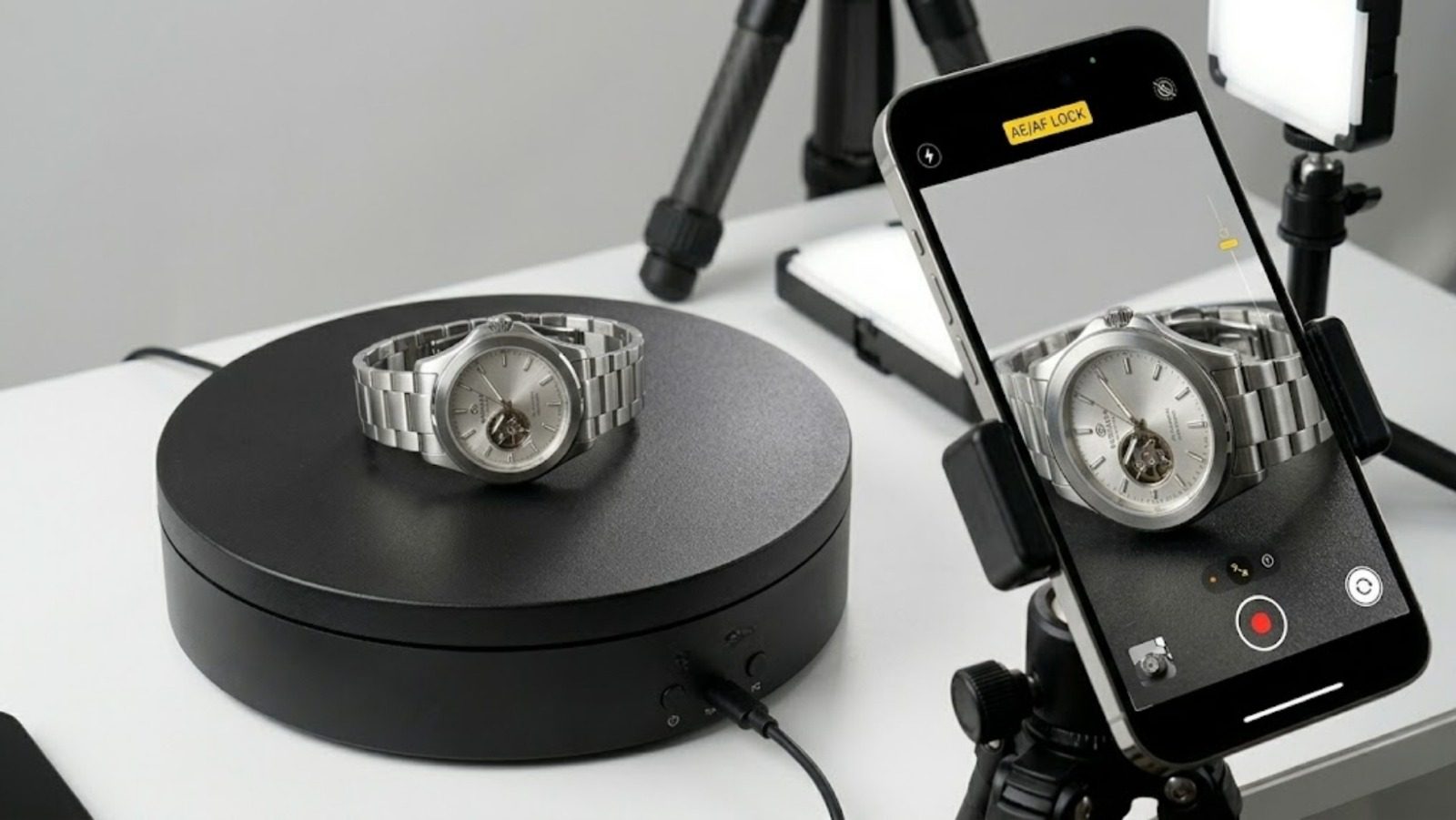
Mount your phone on the Tripod Stand at the same height as the product — the camera lens should be roughly level with the mid-point of the item, not shooting down from above or up from below.
Lock focus and exposure. This is critical. On iPhone: tap and hold the product on screen until you see “AE/AF Lock” appear. On Android: tap and hold in the same way. Without this lock, the camera continuously adjusts brightness and focus as different faces of the product rotate into view, causing an irritating flickering effect throughout the video.
Resolution and frame rate:
- For standard product videos: 1080p at 30fps works perfectly.
- For luxury/premium products where you want slow-motion: shoot 4K at 60fps. In editing, slow it down 50% for an ultra-smooth, cinematic rotation effect that makes watches, jewelry, and perfumes look extraordinarily premium.
Stabilisation: Even on a tripod, enable your phone’s optical stabilisation if available. This compensates for any minor vibration from the rotating stand’s motor.
Step 5: Select the Right Rotation Speed
Speed dramatically affects the feel of the final video.
Slow (1–2 RPM): Jewelry, watches, gemstones, and anything where fine detail matters. Slow rotation gives viewers time to examine each face, catch light reflections, and appreciate craftsmanship. This speed feels luxurious and premium.
Medium (3–4 RPM): General products — handbags, shoes, cosmetics, electronics. Enough motion to be visually engaging without rushing past any detail.
Fast (5+ RPM): Rarely recommended for product photography. Works for social media content where motion itself is the point, but loses detail in the process.
The Electric Rotating Display Stand with Remote lets you adjust speed during recording via the remote without touching the setup — useful when you want to vary pace within a single video for editing variety.
Step 6: Record and Review
Hit record first, then start the rotation. Record at least two to three complete 360° rotations before stopping — this gives you editing flexibility to choose the cleanest loop, add a pause on a particular angle, or use slow-motion on a specific face of the product.
After recording, review immediately at full resolution on your phone. Check for:
- Any wobble (product off-centre — reposition and reshoot)
- Flickering (exposure not locked — reapply AE/AF lock and reshoot)
- Shadows rotating across the product (lighting needs adjustment — add diffusion or reposition)
- Any unwanted reflections of the camera or yourself in glossy products (reposition angle)
One reshoot now is worth a hundred fewer DMs asking for better content.
Niche-Specific Tips for Pakistani Product Categories
Jewelry and Accessories (Rings, Bangles, Watches, Jhumkas)
Jewelry is highly reflective — this is a feature, not a problem, if you handle it correctly. The goal is controlled, beautiful light reflections rather than harsh glare.
Use the lowest speed setting. Wrap light sources in tissue paper for maximum diffusion. Shoot inside a Mini Photo Studio Box for instant professional results. Place a piece of black or white velvet fabric on the rotating disc — velvet absorbs light rather than reflecting it, making the jewelry itself the brightest element in the frame.
Fashion, Footwear, and Leather Goods
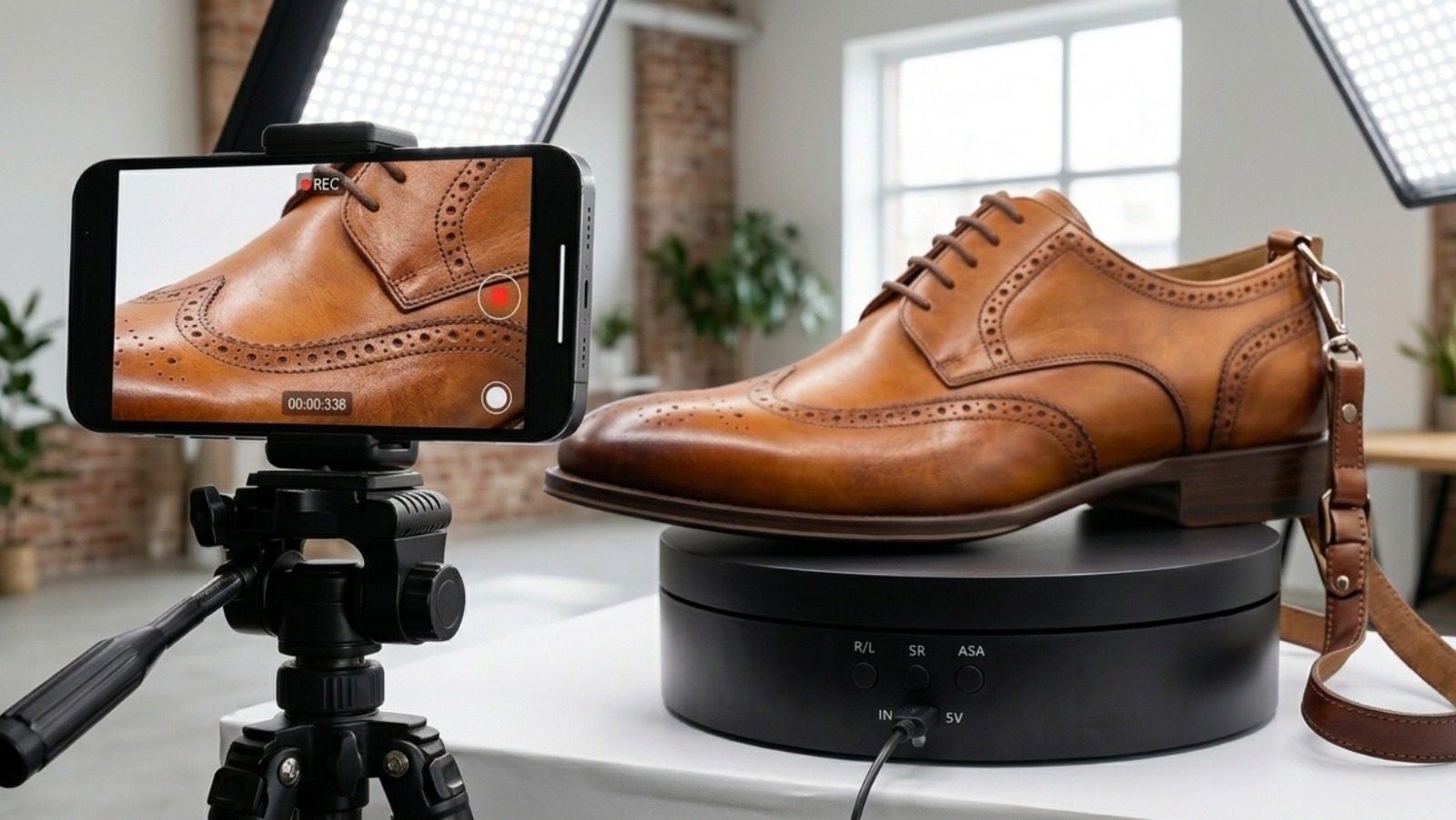
Leather and fabric show their quality through texture — the grain of the leather, the weave of the fabric, the stitching detail. Position one light slightly higher and to the side to create gentle shadows within the grain, revealing depth and craftsmanship.
For shoes and bags, use a medium speed so the camera captures the sole design, the side profiles, the zipper, and the back panel — all the things buyers want to see and currently have to ask for in DMs.
Electronics and Tech Accessories (Smartwatches, Power Banks, Earbuds)
Tech products need a clean, modern aesthetic. Use a black acrylic surface on the rotating disc — this creates a subtle, elegant reflection beneath the product that looks premium without being distracting. Ensure all cables and accessories are neatly arranged or completely out of frame. A glossy black background (instead of white) gives electronics a high-tech, international brand feel. Browse eGalaxy’s Headphones & Headset and Mobile Accessories range for products that photograph beautifully with this setup.
Cosmetics, Perfumes, and Skincare
Glass bottles and metallic packaging catch light beautifully. Use medium speed and position the lightbox so both sides are evenly lit — this creates the elegant, bilateral symmetry that makes perfume and skincare products look premium.
For products with important label information (ingredients, branding), slow the rotation slightly as the front label comes into view, then speed up through less important angles. The Electric Rotating Display Stand with Remote allows this kind of real-time speed variation during recording.
Manual vs. Electric Rotating Stand: The Honest Comparison
| Electric Motorized Stand | Manual Turntable | |
|---|---|---|
| Movement consistency | Perfectly smooth, constant speed | Uneven — slows and stops |
| Video suitability | Professional — ideal for TikTok, Reels, Daraz | Poor — visible judder and hand interference |
| Speed control | Adjustable — multiple RPM settings | None — depends on push force |
| Remote control | Available on premium models | Not applicable |
| Weight capacity | 2kg to 100kg depending on model | Generally limited to light items |
| Power required | USB, adapter, or batteries | None |
| Best use | All e-commerce video content | Physical shop window display only |
| Where to buy | eGalaxy Photo Studio Accessories | General market |
For any seller creating content for TikTok, Instagram, Facebook Marketplace, or Daraz, the electric model is the only choice that produces usable footage. A manual turntable is appropriate for a glass display cabinet in a physical shop — not for camera work.
Building a Complete Home Product Photography Setup
The rotating stand is the centrepiece. Here’s the complete system that produces consistently professional results:
| Component | Product | Purpose |
|---|---|---|
| Rotating stand (standard) | USB Rotating Display Stand | Jewelry, cosmetics, small accessories |
| Rotating stand (advanced) | Electric Rotating Display Stand with Remote | All products, remote speed control |
| Lightbox | Mini Photo Studio Box | Instant diffused lighting for small/medium products |
| Tripod | Tripod Stand | Stable camera position throughout shoot |
| Full accessories | Photo Studio Accessories | Background sheets, clamps, extras |
One-time investment. Unlimited shoots. No studio fees. No booking. No travel.
According to Adobe’s product photography guide, consistent lighting and stable camera positioning are the two factors that most separate professional from amateur product photography — both of which this setup addresses directly.
Start Shooting Professional Product Videos Today
Browse eGalaxy’s complete rotating stand range:
- How to Use Rotating Stands for PhotographyHow to Use Rotating Stands for PhotographyWhat Is a Rotating Turntable Stand? The Complete Guide for Pakistani Sellers (2026) — remote control, adjustable angles (90°/180°/360°), quiet motor, Type-C power
- USB Rotating Display Stand – 3 Speed Options — compact, silent, 3 speeds, USB-powered, budget-friendly
Fast delivery to Karachi, Lahore, Islamabad, Faisalabad, Multan, Peshawar, Quetta, Sialkot, and all cities across Pakistan via TCS and Leopard Courier.
Shop All Photo Studio Accessories →
Not sure which model suits your product category or weight? Contact the eGalaxy team — we’ll match you to the right setup for your specific needs and budget.