
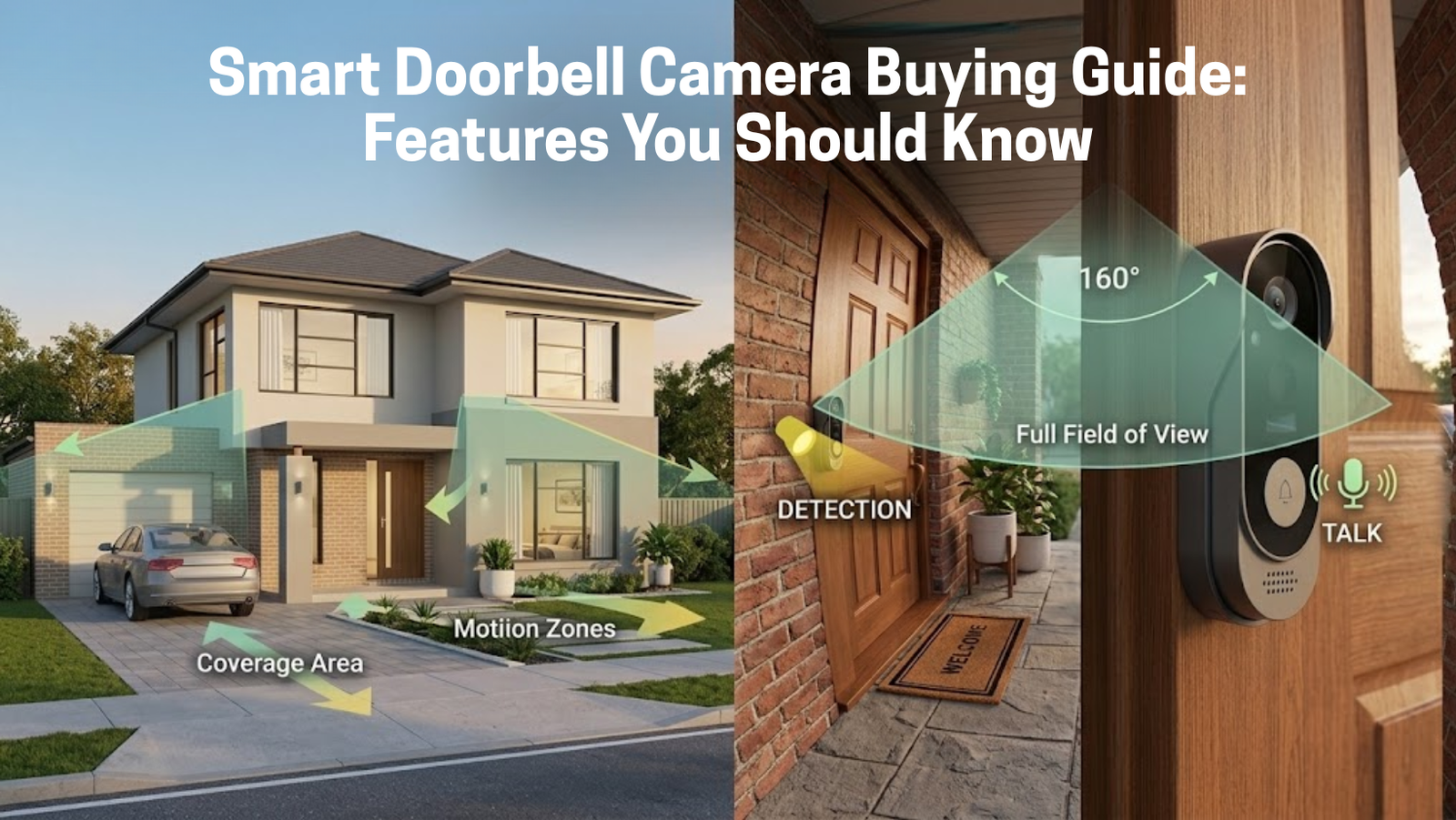
A Smart Doorbell Camera Buying Guide has quietly gone from “nice tech gadget” to something closer to a default expectation for home security in Pakistan — in Lahore, Karachi, Islamabad, or anywhere in between. But once you actually start browsing, the range of specs and models can get confusing fast. Resolution, viewing angle, night vision, two-way audio — which of these actually matter, and which are just marketing?
This guide breaks down exactly what to look for before you buy one, so you’re paying for features that actually change how well the device protects your home, not just a longer spec sheet.
What Is a Smart Doorbell Camera, Exactly?
It’s a Wi-Fi connected replacement for a traditional doorbell that combines a high-definition camera, a motion sensor, and a microphone/speaker into one unit. Press the button — or trigger the motion sensor just by walking up — and it sends a real-time notification to your phone, letting you see, hear, and speak to whoever’s there no matter where you actually are.
If you want a full breakdown of why this matters for a Pakistani home specifically, our earlier guide on why every Pakistani home needs a smart doorbell camera covers that in more depth. This guide focuses purely on what to check before buying one.
The Features That Actually Matter
1. Video Resolution
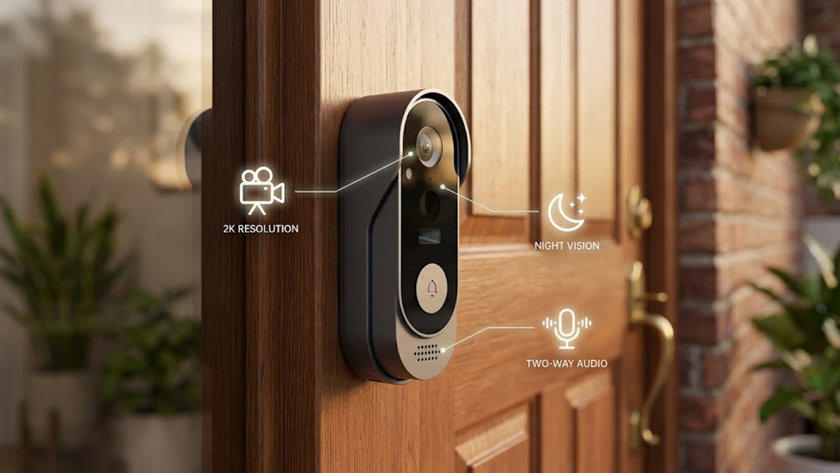
This one isn’t negotiable. Look for at least 1080p — anything lower and you’ll struggle to make out a face clearly enough for it to be useful as actual security footage, not just a vague shape at your door. Some newer models push to 2K, which gives sharper detail and holds up better if you ever need to zoom into footage after the fact.
2. Two-Way Audio
This is the feature that turns a doorbell into something interactive rather than just a camera that happens to be at the door. Giving a delivery rider quick instructions, or talking to a visitor while you’re still at work, works the same either way — through the mic and speaker built into the unit.
3. Motion Detection and Instant Alerts
A good doorbell doesn’t just react when someone presses the button. A PIR motion sensor picks up activity at your entrance and sends a push alert whether the button gets pressed or not — which matters, since a lot of the activity worth knowing about at your door never involves someone actually ringing.
4. Night Vision
Security doesn’t switch off after dark, and neither should your doorbell. Reliable infrared night vision gives you clear black-and-white footage in low light or total darkness, so the coverage is genuinely 24/7, not just during daylight hours.
5. Viewing Angle
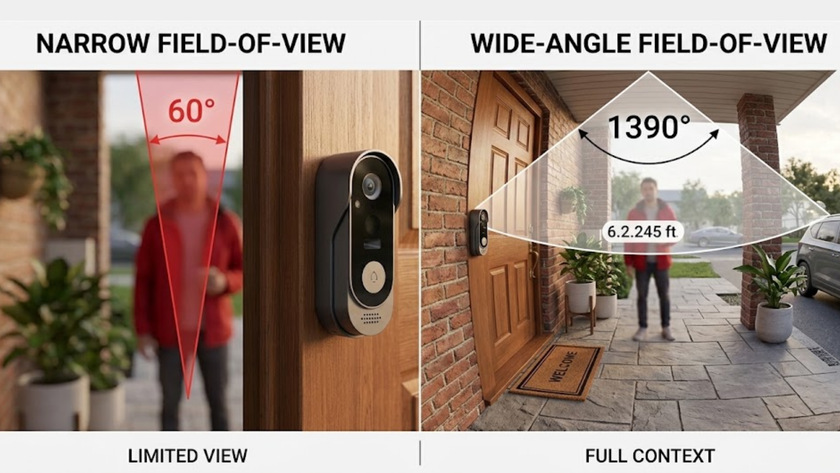
A wider field of view means fewer blind spots directly beside your door. Most solid models sit somewhere between 140° and 160° — wide enough to catch a package left slightly off-center, or a visitor standing to the side rather than directly in front of the lens.
Smart Doorbell vs CCTV: Which Do You Actually Need?
This comes up in almost every buying decision, and the honest answer is that they’re not really competing products.
Smart doorbell cameras are built specifically for the entrance — interactive, easy to install, and closer to a “friendly” security interface than a surveillance tool. They work particularly well for apartment dwellers or anyone who just wants coverage at the door without a bigger install.
CCTV cameras are built for wide-area coverage — perimeters, driveways, backyards — but they’re generally less interactive and involve a more complex setup.
Our usual recommendation for most homes: a smart doorbell at the entrance, paired with an Indoor Security Camera for broader coverage inside. That combination covers both “who’s at the door” and “what’s happening in the house” without needing a full commercial-grade CCTV install.
How It Actually Cuts Down Package Theft
With online shopping now routine for a lot of households, an unattended parcel at the gate is a real, common risk. A doorbell camera addresses this in a few direct ways:
- Real-time alerts the moment a delivery rider approaches, so you can watch the drop-off as it happens.
- Deterrence — the visible presence of a camera alone stops a lot of opportunistic theft before it starts.
- Two-way audio to redirect a rider to a safer, hidden spot if you’re not home to receive the package in person.
Installation: DIY or Professional?
Most modern doorbells, including the ones on eGalaxy, are built for a straightforward DIY install:
- Mounting — attach the bracket with the provided screws to your wall or door frame.
- Power — many run on a rechargeable battery, so there’s no wiring involved at all. Some models also support wiring into an existing doorbell connection if you’d rather not deal with recharging.
- Syncing — download the app (usually Tuya Smart or a brand-specific one), connect to your home Wi-Fi, and you’re set up.
For a wider security setup, eGalaxy’s Home Automation collection covers switches, plugs, and sensors that all run through the same app as your doorbell — so alerts, automations, and voice control stay in one place.
What to Check Before You Buy
A few practical questions worth asking before checkout, beyond the spec sheet:
- Does it need a wired connection, or is battery power an option?
- Is your porch’s Wi-Fi signal actually strong enough for smooth video? A weak connection at the door undermines even a good camera.
- Does it support your existing voice assistant — Google Assistant or Amazon Alexa — if that matters to your setup?
- Is storage local (SD card) or cloud-based, and does that fit your budget and privacy preference?
Why Buy From eGalaxy
We stock a curated range of doorbell cameras and related security devices, vetted for reliability rather than just listing everything available. Fast delivery covers Karachi, Lahore, Islamabad, and beyond, and our team is available if you’re unsure which model actually fits your entrance setup. Browse eGalaxy’s Wireless Video Doorbell with Camera as a solid starting point that covers the core features above.
Frequently Asked Questions
Is 1080p really necessary, or is 720p good enough? 720p can technically work, but 1080p gives noticeably clearer facial detail — the difference matters if footage ever needs to be reviewed closely after an incident.
Do all smart doorbells need Wi-Fi to function? Yes, for live alerts and remote viewing. Some models still record locally to an SD card during a temporary outage, but real-time notifications require an active connection.
Battery-powered or wired — which is better? Battery models are easier to install and better for renters, but need periodic recharging. Wired models skip the recharging but require existing doorbell wiring or a small electrical connection.
Can I use a smart doorbell as my only security device? It covers the entrance well, but for full-property coverage, pairing it with an indoor or perimeter camera gives a more complete setup rather than relying on the doorbell alone.
Ready to Choose
The right smart doorbell camera comes down to matching resolution, motion detection, night vision, and viewing angle to what your entrance actually needs — not just picking the most expensive option on the shelf. Explore eGalaxy’s full Smart Doorbell range to compare models side by side and find the right fit for your home.
Disclaimer: Make sure your Wi-Fi signal reaches your entrance clearly — a weak connection at the door is the most common cause of missed alerts or laggy video, regardless of which model you choose.